How to download your electronic business license
This step-by-step guide will walk you through the process of downloading your electronic business license.
I. Activate mini programs or install an application
To down the electronic business license, you need to first activate the WeChat or Alipay mini programs for the electronic business license, or install the Suishenban app.
A. WeChat mini program
Option 1: Use the WeChat app to scan the QR code to open the mini program for the "Electronic Business License".

Option 2: Search the WeChat mini program "dzyyzz" in the app. Activation steps are as follows:
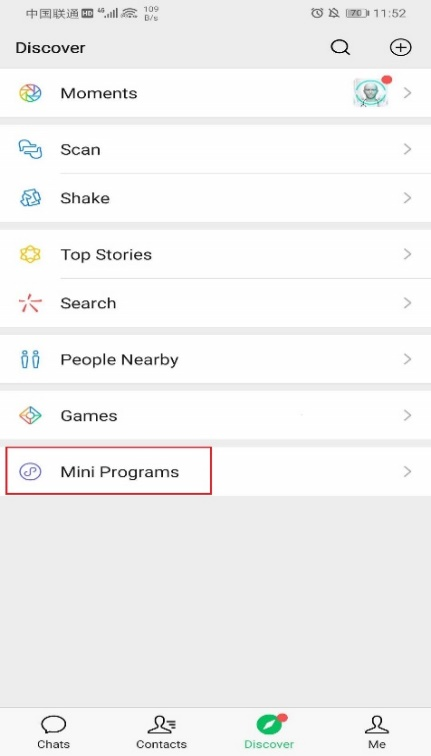
- Open the WeChat app and find "Discover" in the homepage.
- Open "Mini Programs" at the bottom of "Discover".
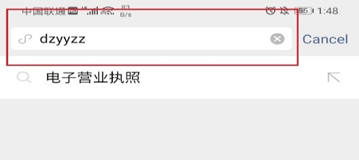
- Enter "dzyyzz" in "Mini Programs" to search.
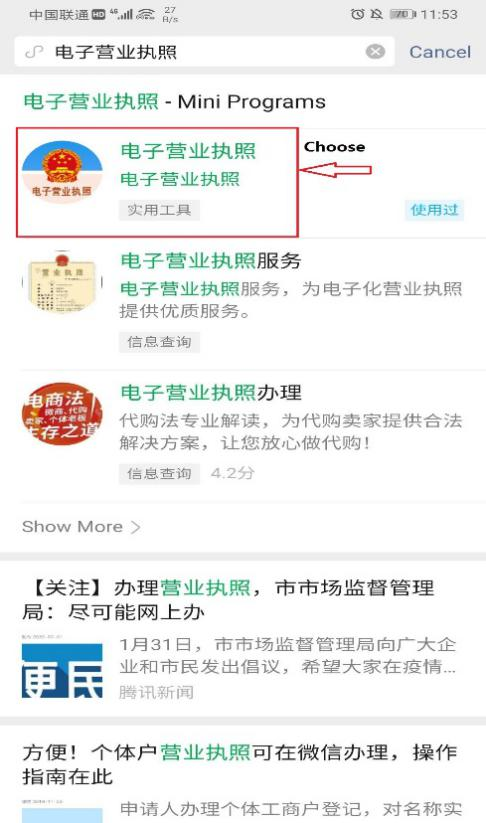
- Click "Electronic Business License" in the search result.
- Enter the "Electronic Business License" page.
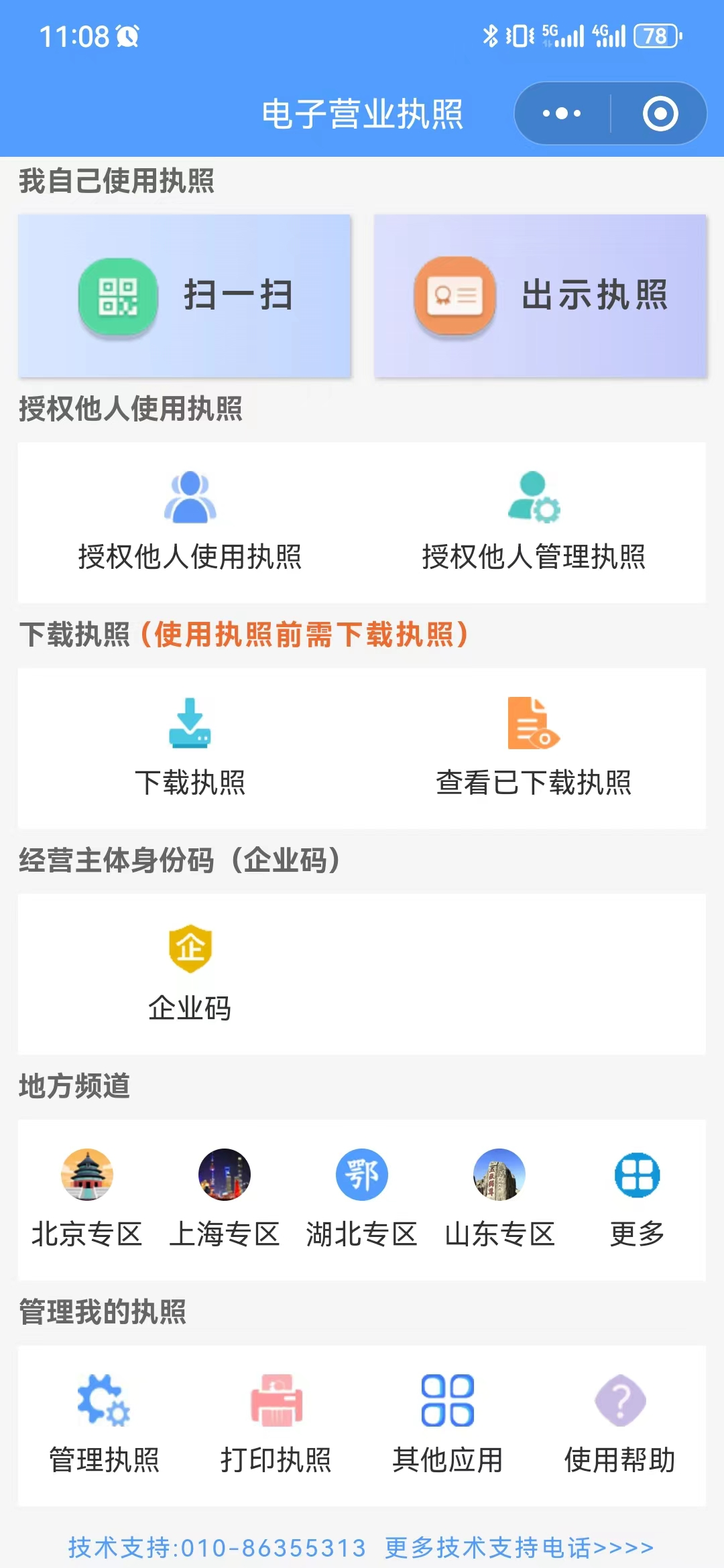
B. Alipay mini program
Option 1: Use the Alipay app to scan the QR code to open the mini program for the "Electronic Business License".

Option 2: Search the Alipay mini program "dzyyzz" in the app. Activation steps are as follows:
- Open the Alipay app and find "Friends" in the homepage.
- Open "Mini Programs" at the top of "Friends".
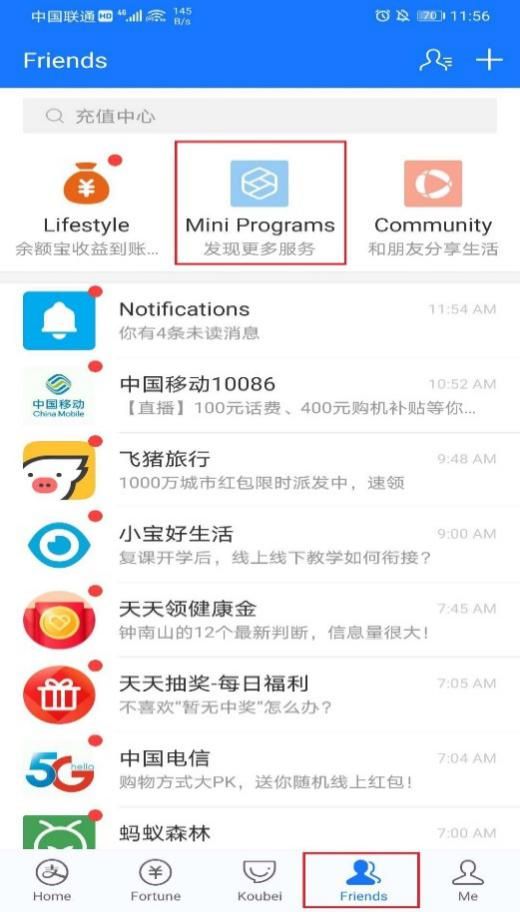
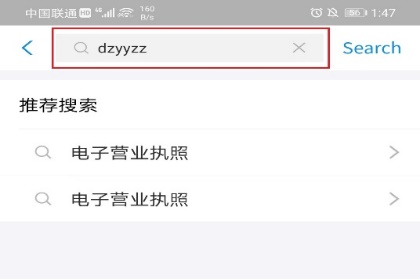
- Enter "dzyyzz" in "Discover" to search.
- Click "Electronic Business License" in the search result.
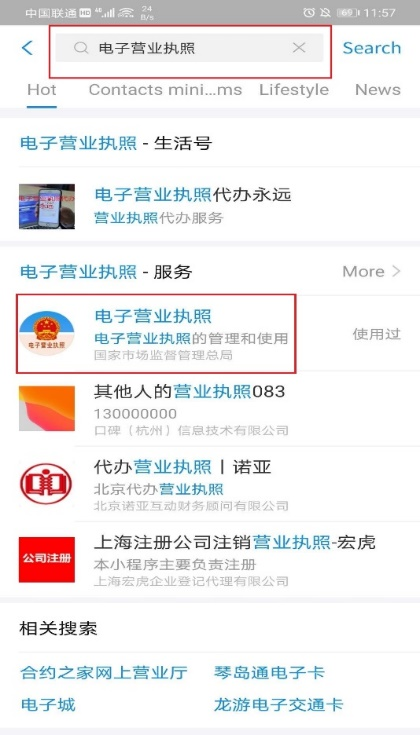
- Enter the "Electronic Business License" page.
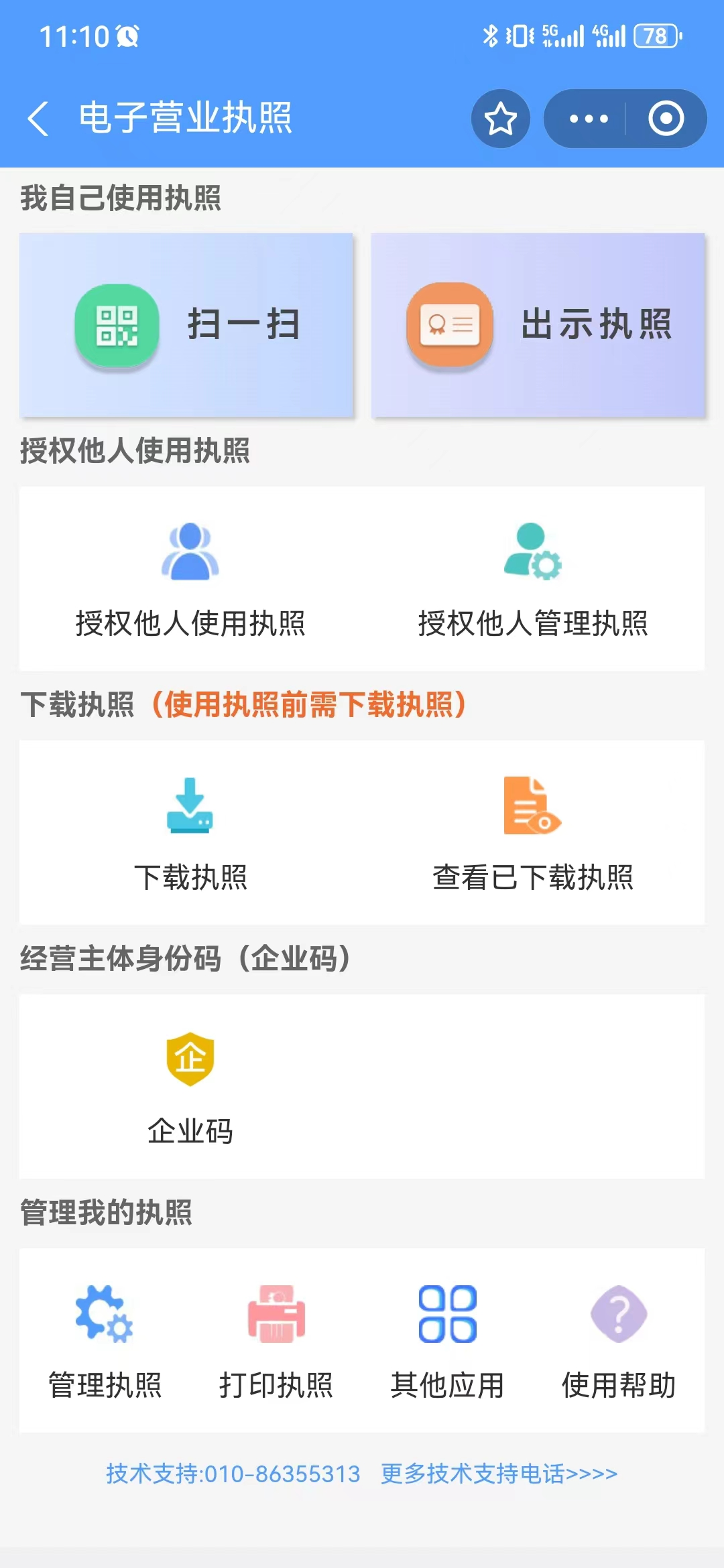
C. Suishenban app
Download the Suishenban app via https://zwdt.sh.gov.cn/govPortals/column/download/application.html or the Mobile Applications Market on your cell phone.
II. Download the electronic business license
A. By passing real-name authentication
The electronic business license must be downloaded for the first time by the legal representative.
The legal representative can download the electronic business license only after passing real-name authentication. Otherwise, he or she needs to go to the market supervision department with which the legal entity is registered and scan a QR code there to download the electronic business license.
Note: When the legal representative or the person in charge of the legal entity is a foreigner, he or she should go to the market supervision department with which the legal entity is registered and scan a QR code there to download the electronic business license.
After downloading the electronic business license for the first time, the legal representative may authorize other people to download it.
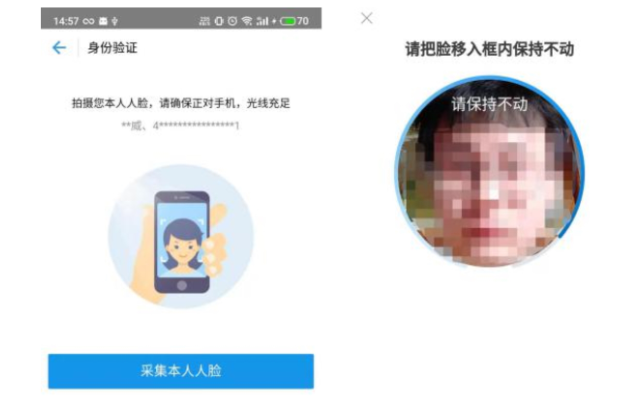
1. Pass real-name authentication
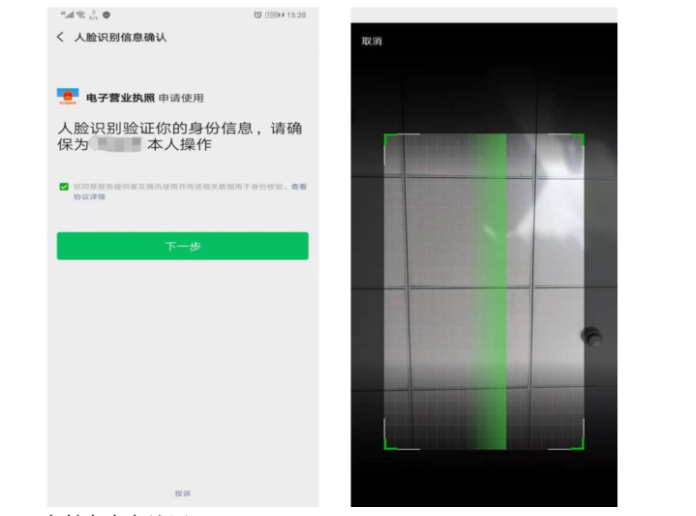
(1) Pass real-name authentication via the WeChat app
- Enter the WeChat payment password to get the user's real-name information.
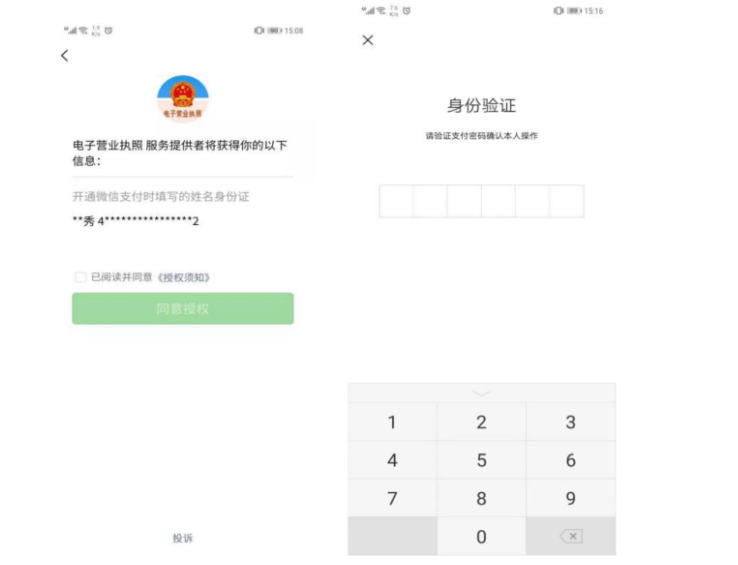
- Finish facial recognition to pass authentication.
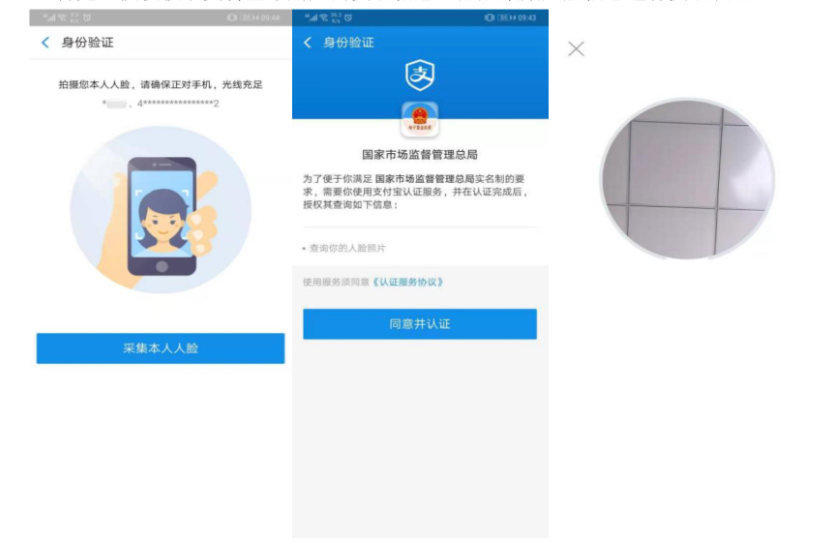
(2) Pass real-name authentication through the Alipay app
- Authorize the Alipay app to get real-name information.
- Finish facial recognition to pass authentication.
(3) Pass real-name authentication in the Suishenban app
- Authorize the Suishenban app to collect facial information to pass authentication.
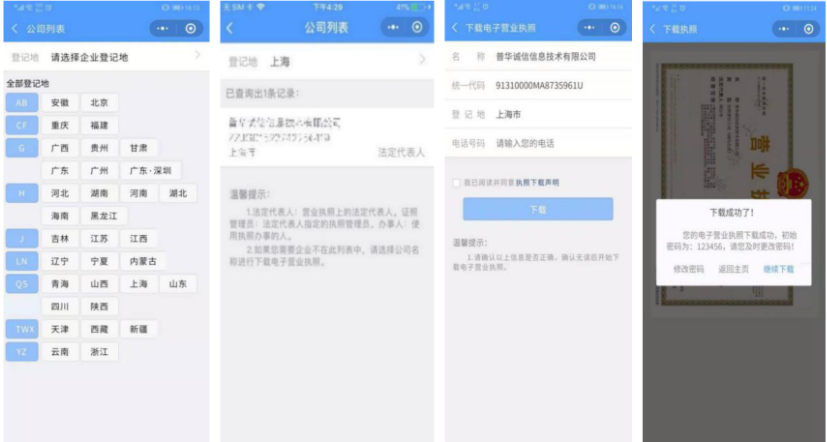
2. Download the electronic business license
Select the city where the legal entity is registered after passing real-name authentication, and choose the name of the legal entity to download the electronic business license. The password may be changed after entering (the initial password: 123456).
B. By scanning a QR code
The legal representative receives the link for downloading the electronic business license by email.

Click the downloading link in the e-mail, enter the downloading verification page, enter the Unified Social Credit Code and the ID number of the legal representative which is submitted to the registration authority at the time of corporate registration, and click the button of "Information Verification".
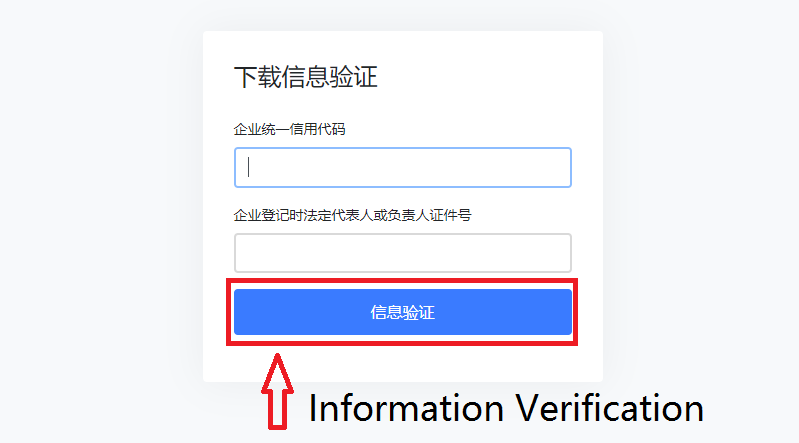
After information is verified, scan the QR code to download the electronic business license.
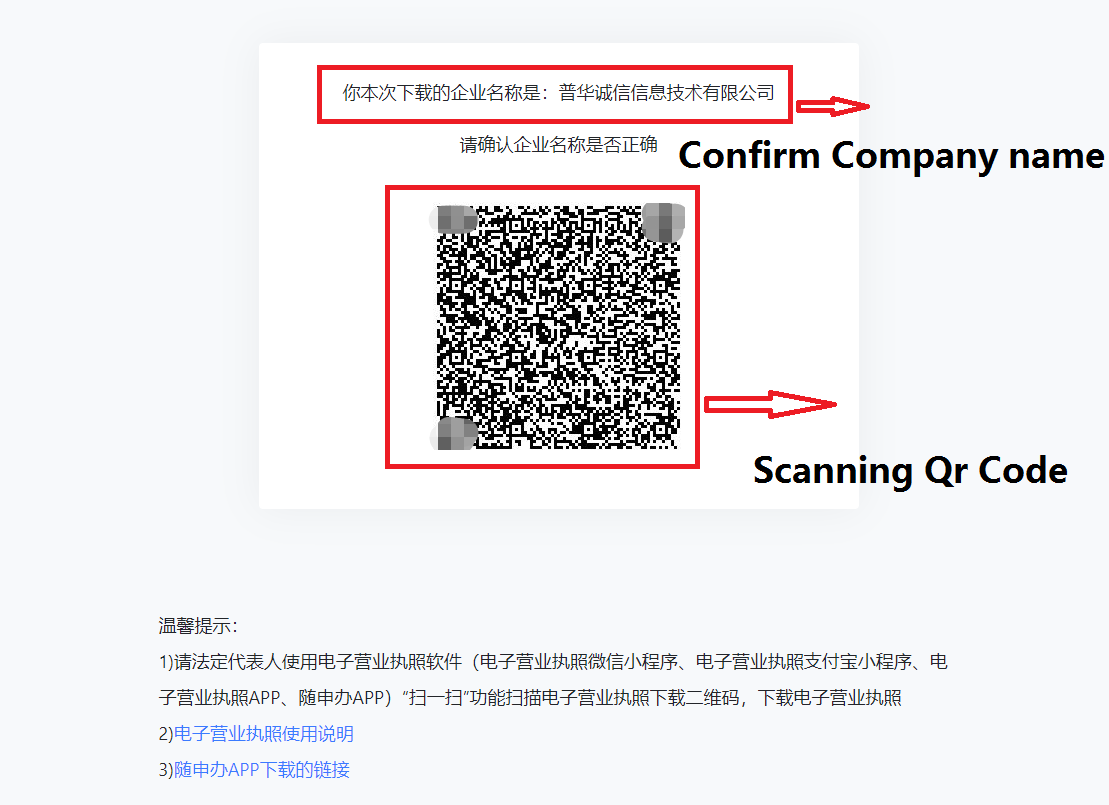
The legal representative may use the "Scan" function on the "Electronic Business License" page of the WeChat (most recommended) and Alipay mini programs or the Suishenban app to scan the QR code, and then enter the name, ID number and mobile phone number of the legal representative to download the license.
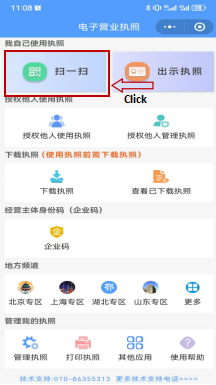
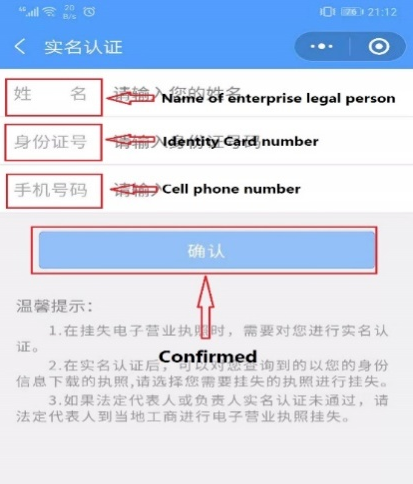
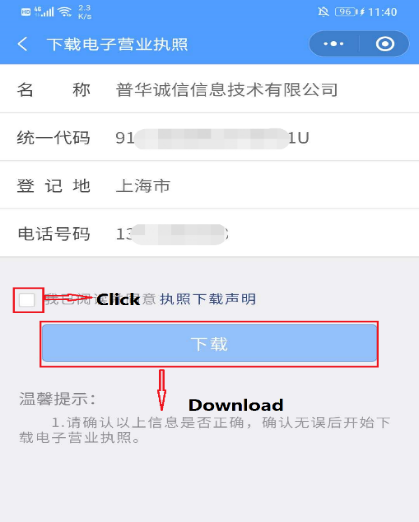
After confirming the above information, read and consent the Statement of Downloading the Business License, and click "Download" to download it. The electronic business license will show up after downloading it successfully (the initial password: 123456).
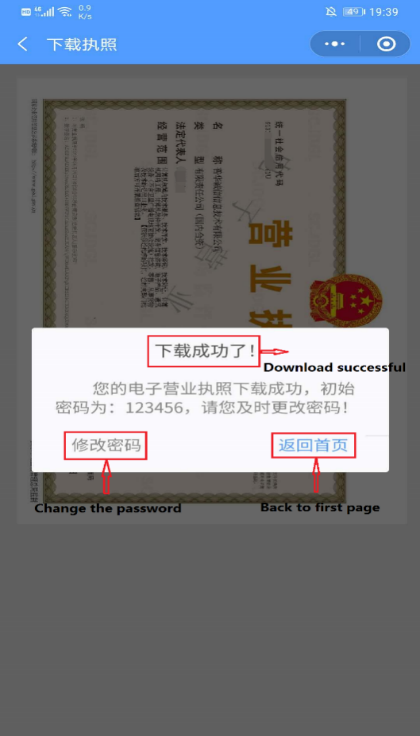
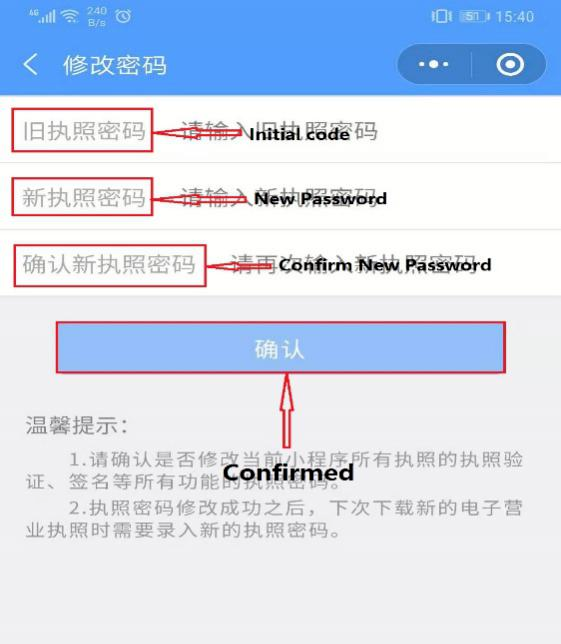
Legal entity users may choose "Back to First Page" for other business operations, or choose "Change the Password": Enter the initial password 123456 and the new password. Click "Confirm" to finish password change.
Source: Yangpu district government