How to use mobile payments in Shanghai
Mobile payments are part of everyday life in China. Whether you are buying a cup of coffee, shopping at a convenience store, taking the metro, or dining at a restaurant, you can pay with your phone.
Overseas visitors can use major mobile payment platforms including Alipay, Weixin Pay, and the UnionPay App. Here is how to use them.
Alipay
Alipay is available on iOS and Android and offers an English-language interface.

Step 1: Download and register
Download the Alipay app and register with your mobile phone number.
You can register with an overseas number before arriving in China. If you later get a Chinese SIM card, you can update your registered number in the app.
Step 2: Link your bank card
Open Alipay and go to: Me > Bank Cards
Follow the instructions to add an eligible international bank card.
You will need to provide the card information requested by the app. Whether a card can be linked may also depend on the card network and the issuing bank.
Step 3: Pay with Alipay
There are two common ways to pay:
Scan the merchant's QR code: Open the Scan function, scan the merchant's QR code, enter the amount if required, and confirm the payment.
Display your payment code: Open your payment code and have the cashier scan it.
Weixin Pay
Weixin Pay also allows overseas visitors to link eligible international bank cards.
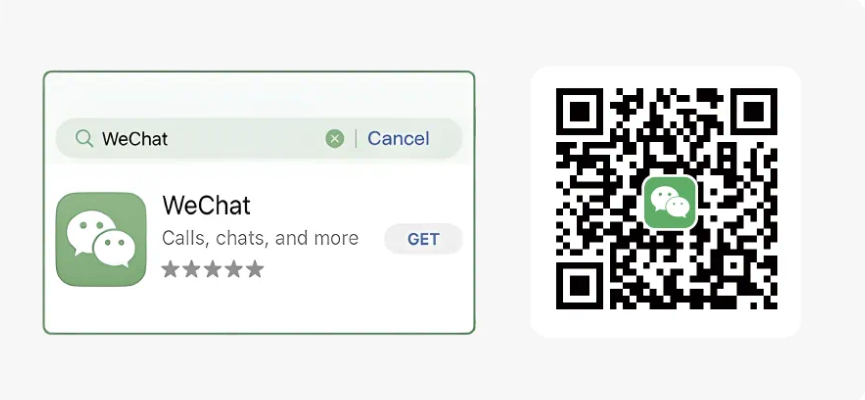
Step 1: Download WeChat
Download or update WeChat to the latest version, then register or sign in with your mobile phone number.
Step 2: Add your bank card
You can add a card through:
Me > Services > Wallet > Bank Cards
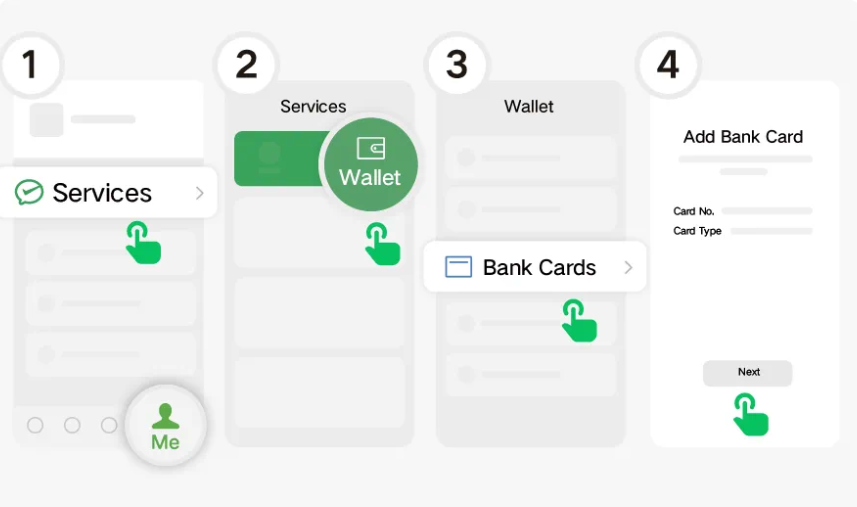
Then follow the prompts to enter your card information.
Another option is to tap + > Scan in the upper-right corner of WeChat, then scan the card-linking QR code.
Visa, Mastercard, American Express, JCB, Discover, and Diners Club International are among the international card networks supported by Weixin Pay.
Step 3: Pay with Weixin Pay
As with Alipay, you can either scan the merchant's payment QR code
or show your payment code for the merchant to scan.
UnionPay App
The UnionPay App supports QR code payments. For overseas visitors, app availability varies by market, while card-linking eligibility depends on where the UnionPay card was issued and the issuing bank.
To activate QR code payment:
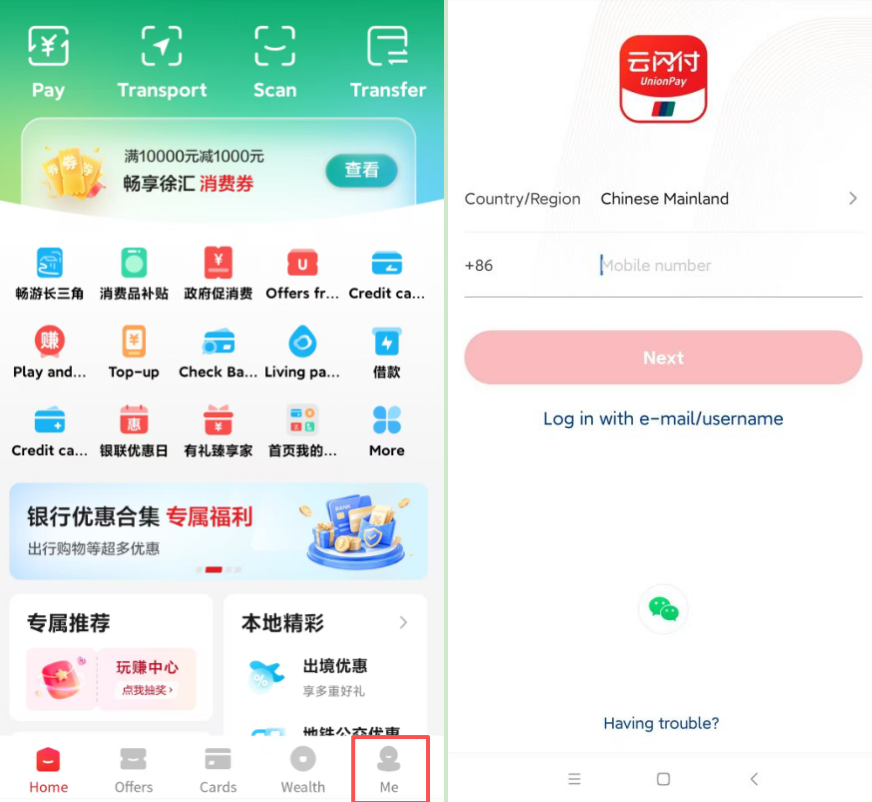
Download the UnionPay App.
Select Me > Register.
Register with your mobile phone number, enter the SMS verification code, and set a login password.
Add your bank card and complete real-name authentication.
Enter the SMS verification code and set a payment password.
Activate the in-app payment function.
UnionPay QR code payments support two methods. In Push Mode, you scan the merchant's QR code. In Pull Mode, the merchant scans the QR code displayed in your app.
UnionPay also offers UnionPay Mobile QuickPass, which uses NFC technology for contactless payment on supported mobile devices, subject to card issuer and market availability.
Need help when you arrive?
If you have trouble setting up mobile payments, one-stop service centers at Shanghai's international airports can help.
The centers are located in the international arrival halls of Shanghai Pudong International Airport Terminals 1 and 2 and Shanghai Hongqiao International Airport Terminal 1. They provide assistance with payment services, mobile communication, transportation, and tourism, including guidance on setting up commonly used local apps.
Check transaction fees
Service fees may apply when using linked international bank cards. Check the fee information displayed in Alipay or Weixin Pay before confirming a transaction.
Spending limits
For overseas visitors using international bank cards linked to Alipay or Weixin Pay, transaction limits are set at a maximum of $5,000 per transaction and $50,000 per year.
Already use an overseas e-wallet?
You may not need to set up a new payment app.
You can use several overseas e-wallets directly at participating merchants in the Chinese mainland through Alipay+ or UnionPay-powered wallet services, allowing you to make QR-code payments using your existing app.
Supported Alipay+ e-wallets include AlipayHK, MPay, Kakao Pay, Touch 'n Go eWallet, HiPay, Changi Pay, Naver Pay, Toss Pay, TrueMoney, GCash, Kaspi, NayaPay, and more.
If your e-wallet is supported, look for the relevant payment logo at the merchant and use your usual app to scan or present a QR code.
Sources: Official websites of Alipay, Weixin Pay, and UnionPay