A quick guide for foreign individuals to register on the Individual Income Tax app

First, open the Individual Income Tax App.
Tap [Mine] at the bottom, then select [Register/Login]. You will see two options, [Register via Face Recognition] and [Register via Tax Office Registration Code].
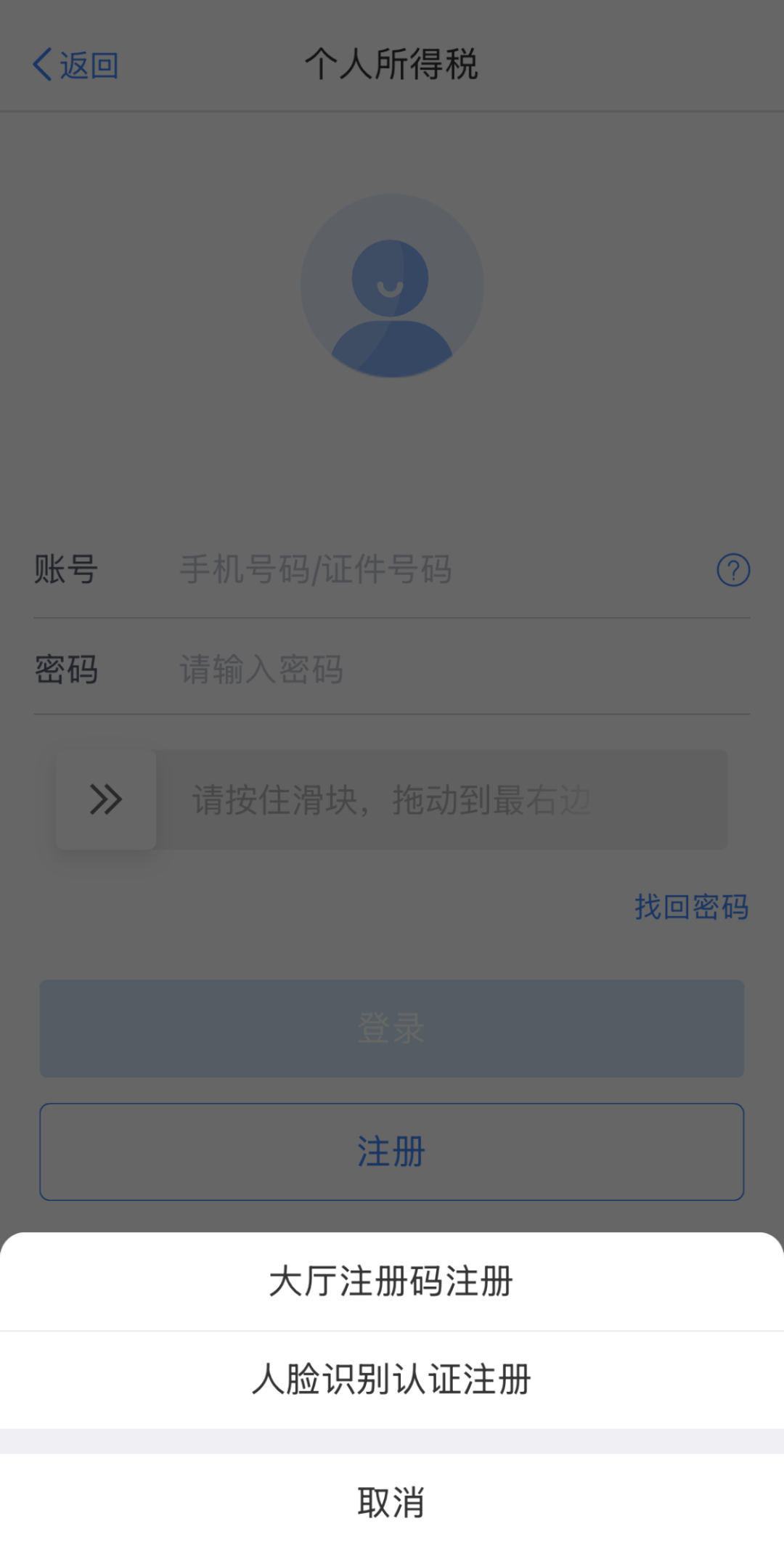
Now you may start by checking the type of valid ID document on hand.
The [Register via Face Recognition] option only works with the following documents: ID Card, Mainland Travel Permit for Hong Kong and Macao Residents, Mainland Travel Permit for Taiwan Residents, Chinese Passport, Foreign Permanent Resident ID Card (Foreign Permanent Resident Card), Residence Permit for Hong Kong and Macao Residents, and Residence Permit for Taiwan Residents.

If your ID document type is listed above, select [Register via Face Recognition]. Then tap [Agree] on the "User Registration Agreement" page.
Choose your [ID Document Type] and enter the required details, including ID number, name, and nationality (region).
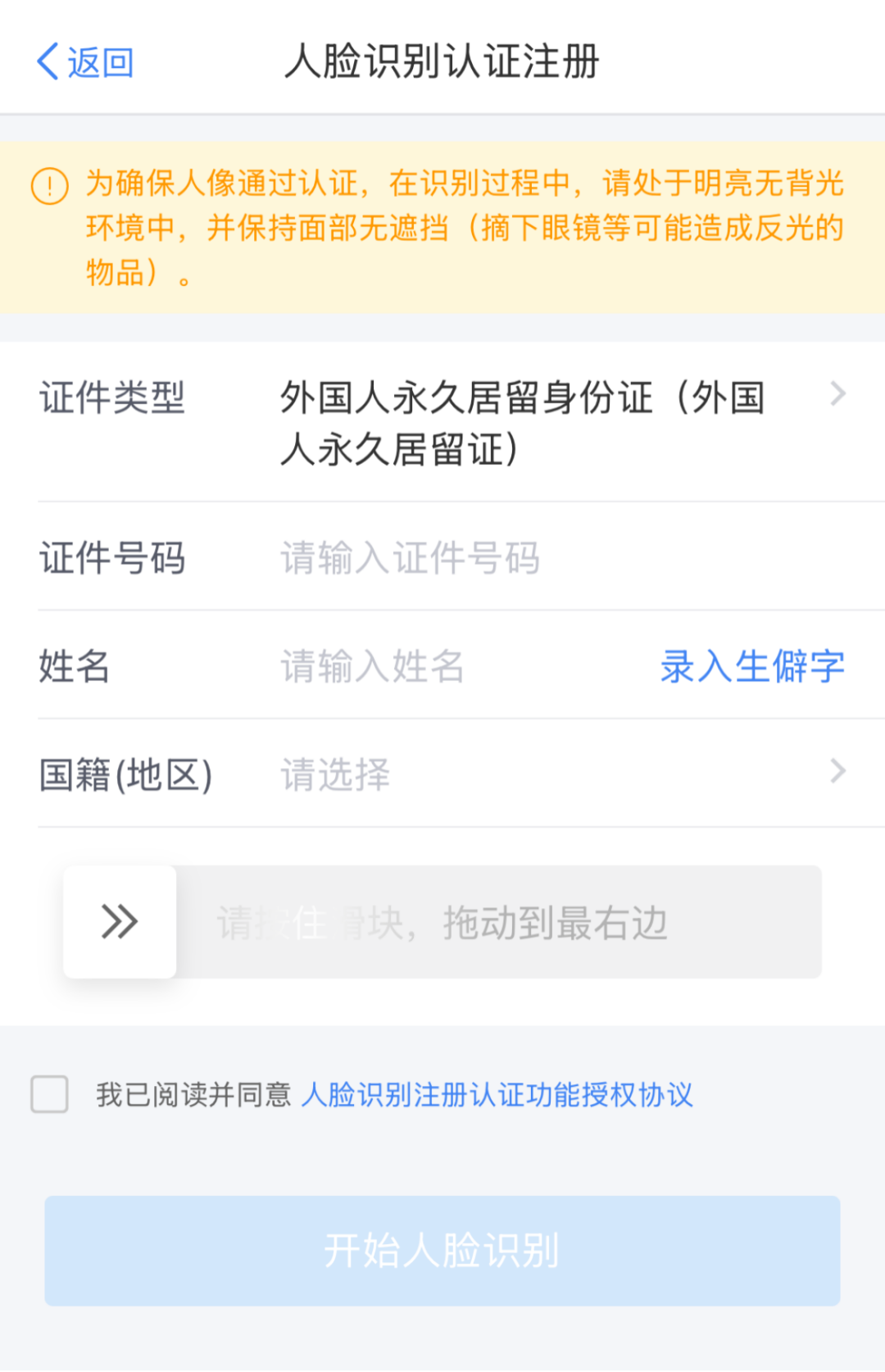
Tap [Start Face Recognition]. After scanning, you will find the "User Registration" page. You can fill in your password and mobile number here, and then enter the SMS verification code to complete.
If your ID document type is NOT listed above, you can turn to the [Register via Tax Office Registration Code] option.
In this case, please go to the tax service hall with your valid ID document, where you will be issued a registration code. The code is valid for the App within 7 days.
Similar to [Register via Face Recognition], you will see the "User Registration" page after selecting [Register via Tax Office Registration Code], then tap [Agree] to continue.
Enter the registration code, select your [ID Document Type], and fill in your ID number, name, and nationality (region).
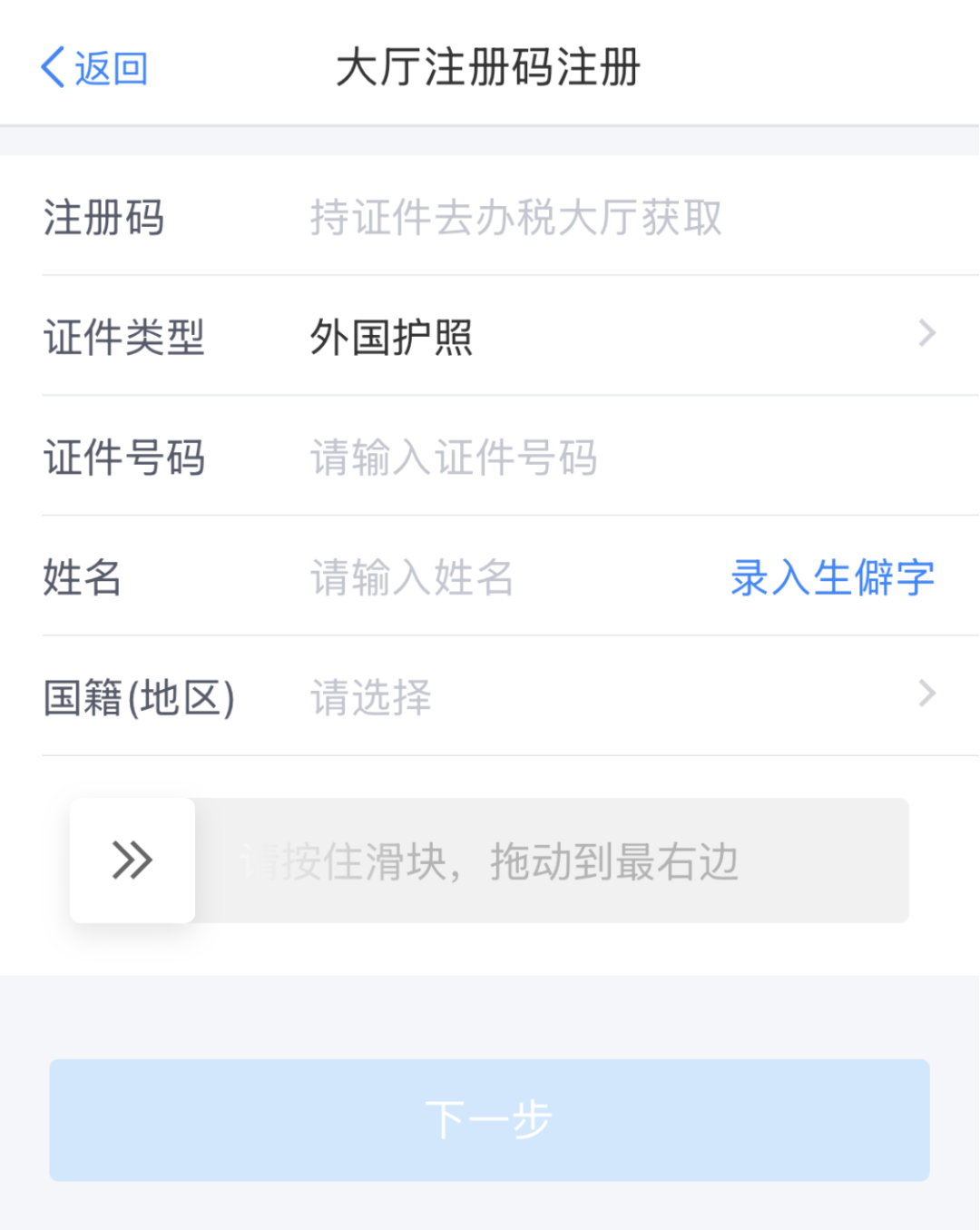
Tap [Next]. On the "User Registration" page, fill in your password and mobile number, and then enter the SMS verification code. Now you are all set!