Pinduoduo made easy: How to shop and save
Founded in 2015, Pinduoduo, one of China's leading mobile e-commerce platforms, is best known for its social group-buying model, where users team up with friends, family, or even strangers to purchase items at lower prices. Here's a step-by-step guide to shopping on Pinduoduo.
Step 1: Download and install the app
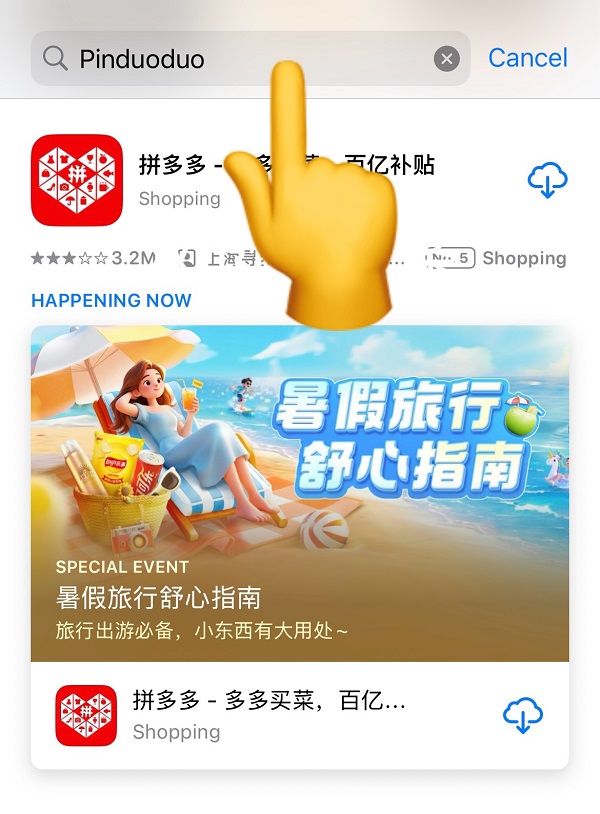
Open your phone's app store, search for "Pinduoduo" (Chinese: 拼多多), download it, and launch the app.
Step 2: Log in
If you have a WeChat account, tap "One-click Login" (Chinese: 一键登录) on the home page.
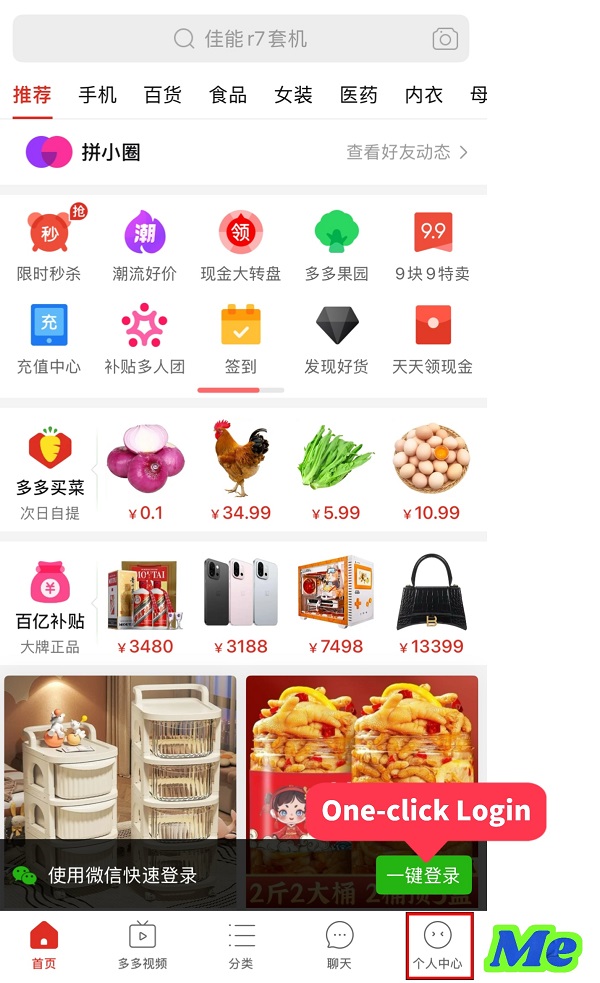
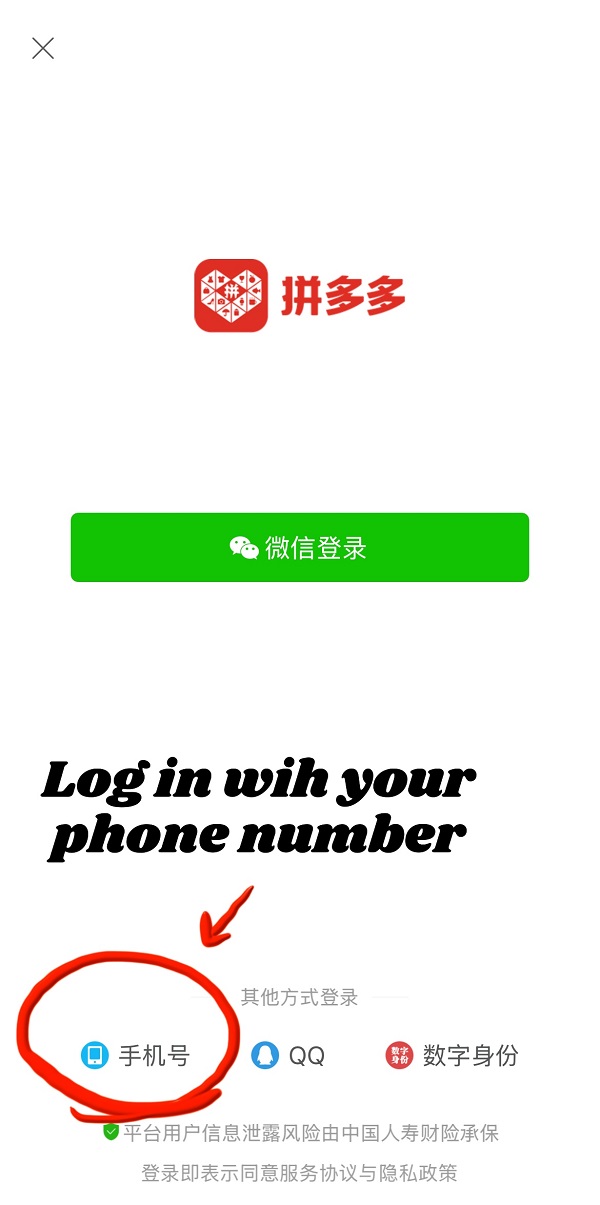
Alternatively, tap "Me" (Chinese: 个人中心) on the bottom navigation bar and log in with your phone number.
Step 3: Set up your shipping address
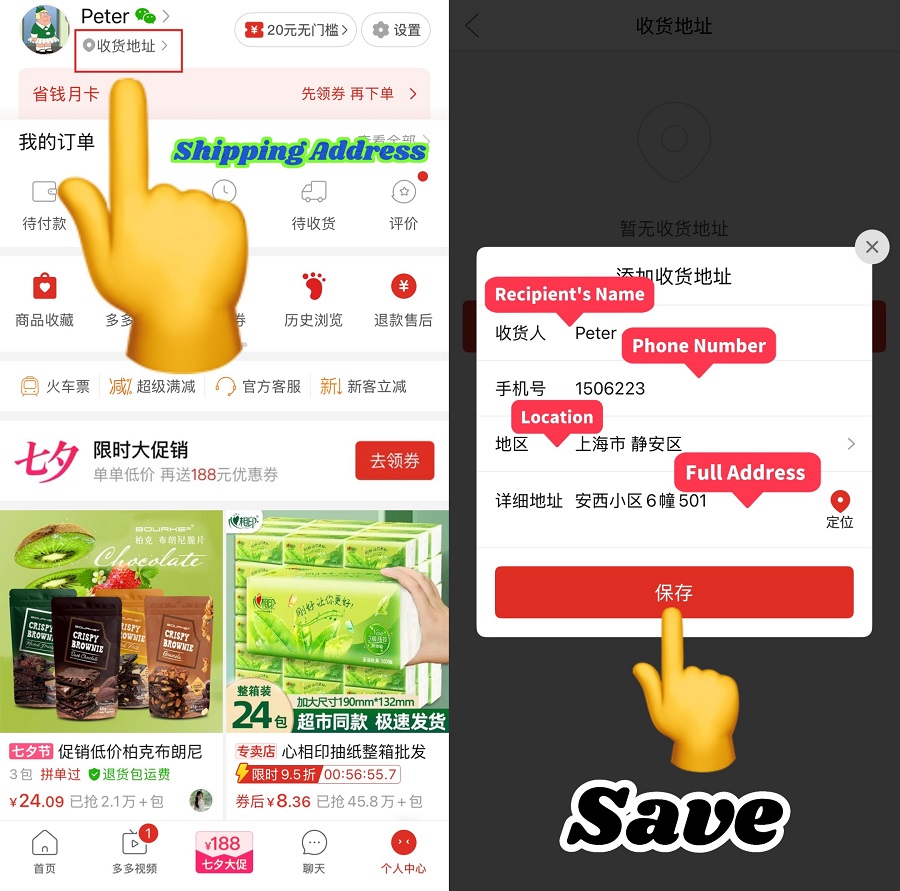
Tap "Shipping Address" (Chinese: 收货地址) under your username. Add a new address by entering the recipient's name, phone number, and full address. Double-check the information, then press the "Save" (Chinese: 保存) button.
Step 4: Search for products
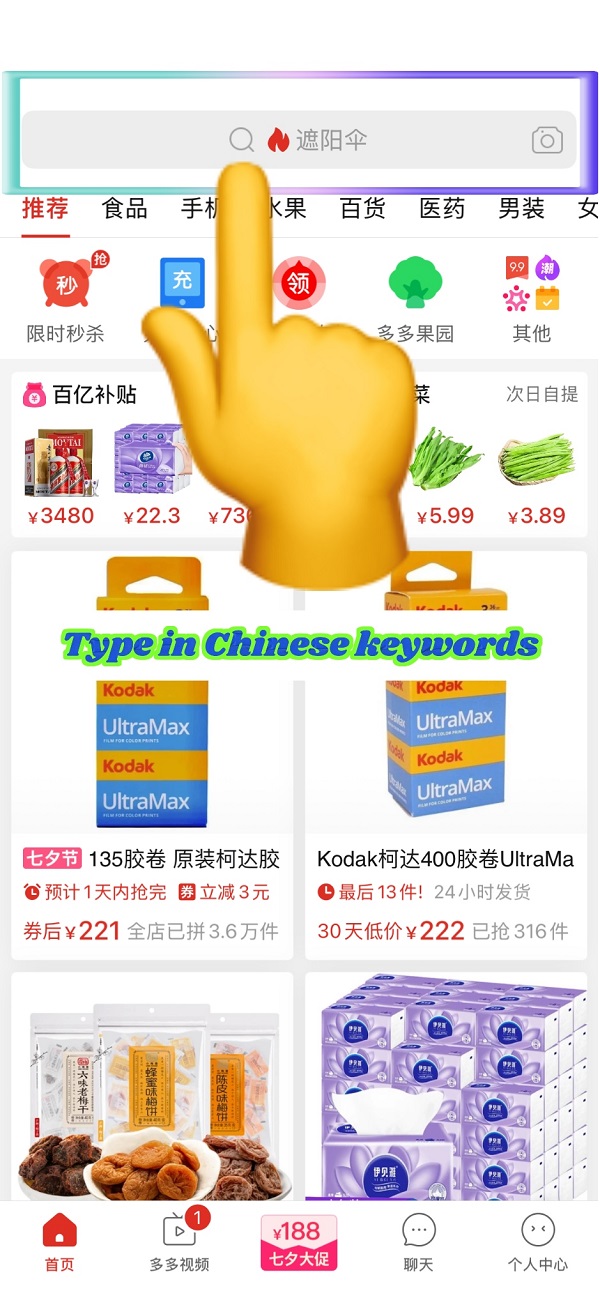
Use the gray search bar at the top of the home screen. You can type in Chinese keywords, such as "遮阳伞" for "umbrella", or tap the camera icon to take or upload a photo to find a wide variety of items.
Step 5: Filter and choose items
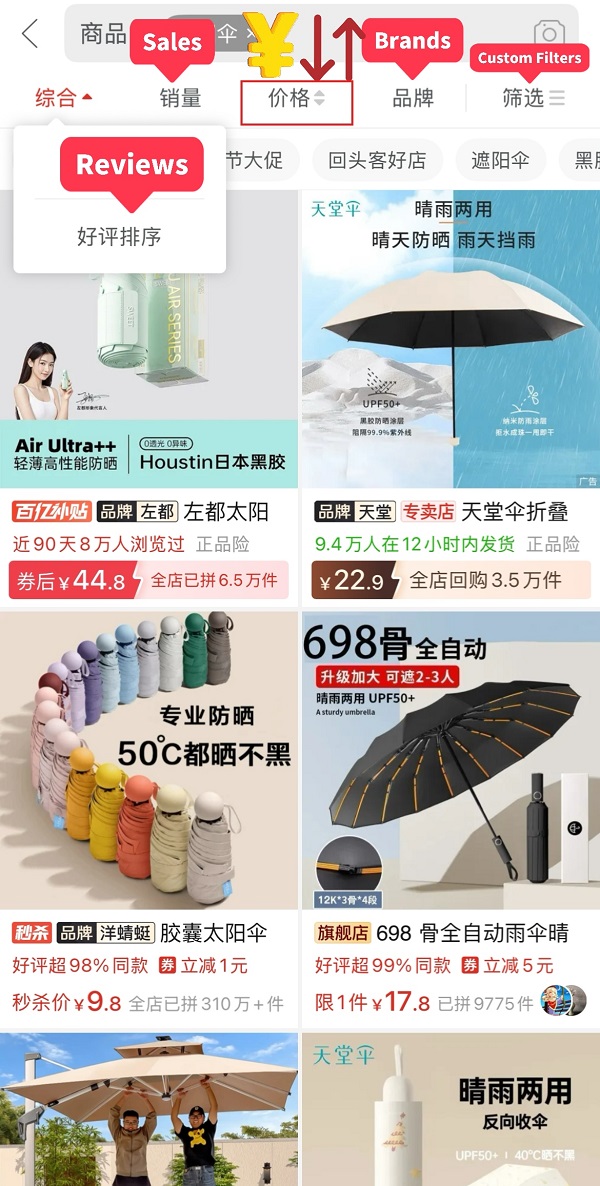
Browse the results and filter by reviews, sales, price, brand, or other options. Tap a product to see details, variations (color, size, model), and reviews. If needed, take a screenshot and use a translation app to understand the description.
Step 6: Choose how to buy
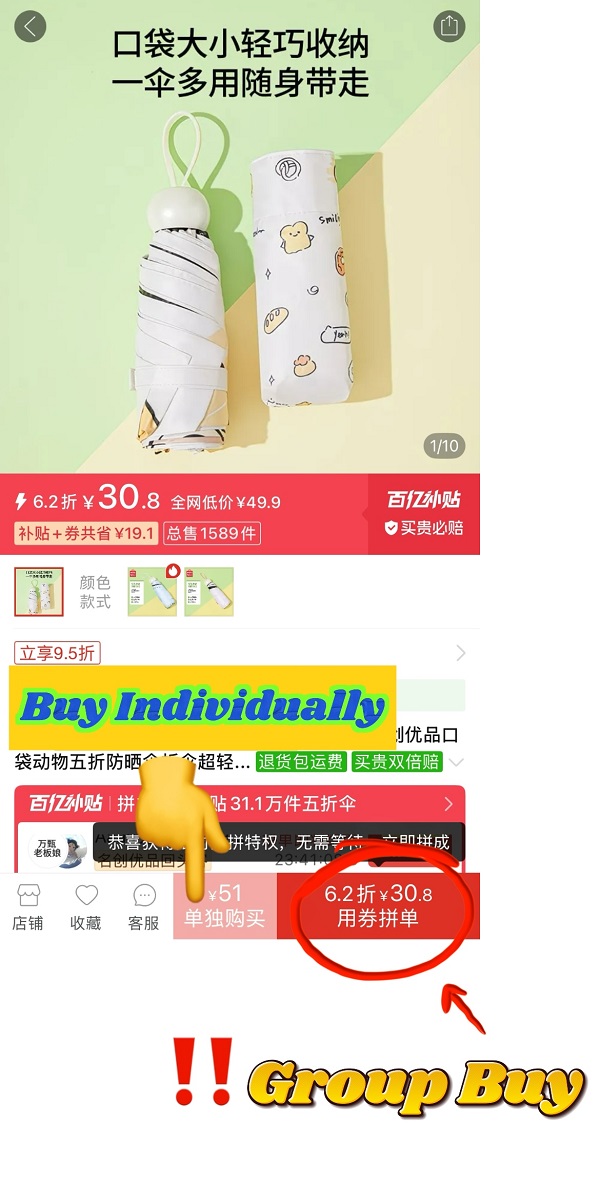
Most products give you two options.
- Group Buy (Chinese: 拼单), usually more affordable, and many items let you complete the group instantly without inviting others.
- Buy Individually (Chinese: 单独购买) is simpler but typically more expensive.
Step 7: Select a payment method
After choosing the quantity and buying option, proceed to payment. Pinduoduo supports:
- WeChat Pay
- Alipay
- Duoduo Pay (Pinduoduo's own payment platform, similar to Alipay)
- UnionPay
- Use Now, Pay Later (receive the product first, pay later)
- Ask a WeChat friend to pay
Step 8: Complete payment and track your order
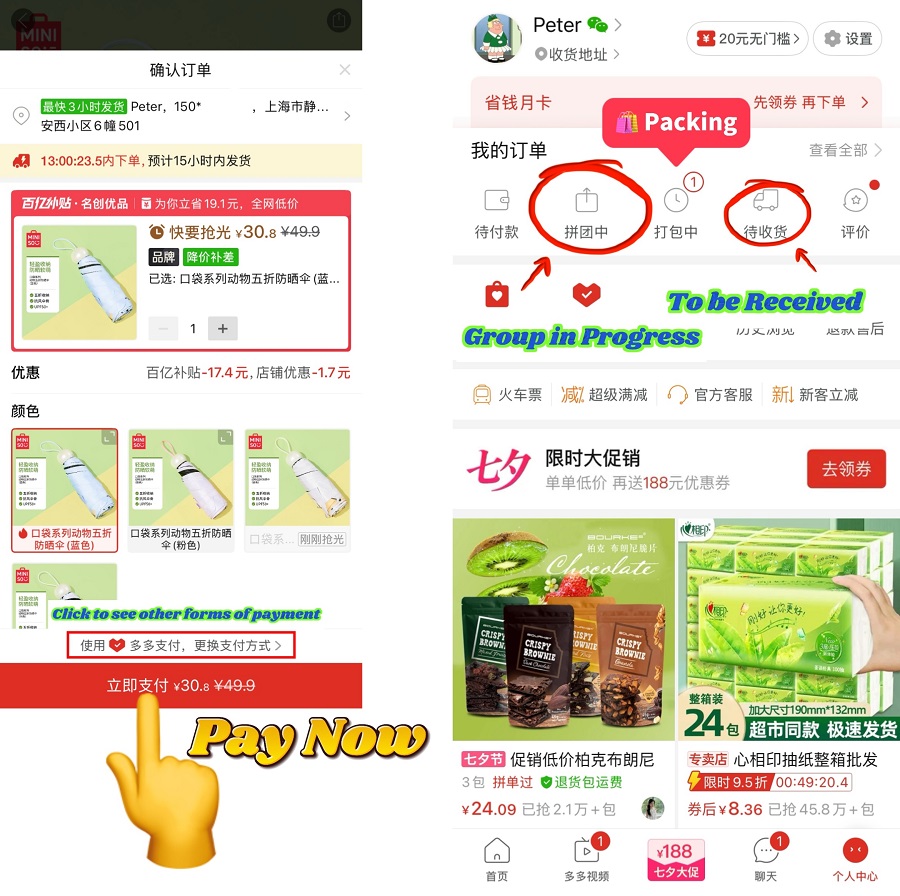
Tap "Pay Now" (Chinese: 立即支付) to confirm. Your order status may appear as:
- "Packing" (Chinese: 打包中)
- "Group in Progress" (Chinese: 拼团中)
If your order is part of a group purchase, you'll need to wait for others to join. If the group fails within the time limit, the order is automatically canceled. Once shipped, you can track it under "To be Received" (Chinese: 待收货).
Step 9: Save items for later
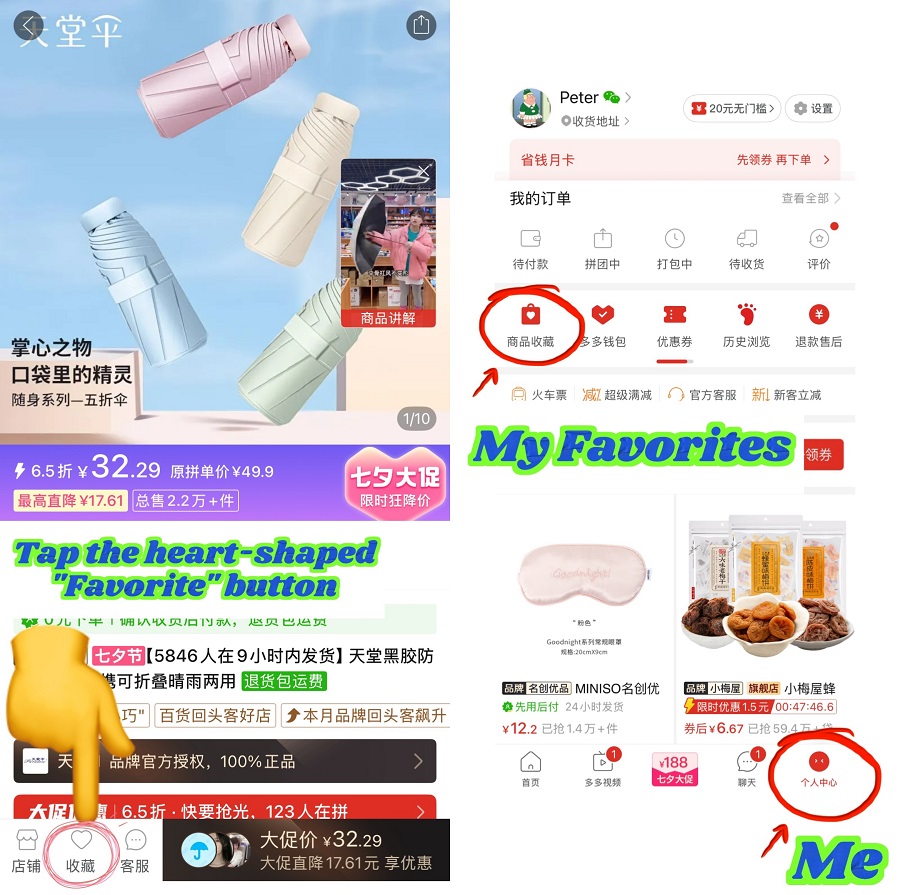
Pinduoduo doesn't have a traditional shopping cart. Instead, tap the heart-shaped "Favorite" (Chinese: 收藏) icon on the product page. Later, go to "Me" → "My Favorites' (Chinese: 商品收藏) to view saved items and check out, similar to using a cart.