Shopping on JD.com: A beginner's guide
JD.com, one of China's largest e-commerce platforms, was founded in 1998. It began as an electronics retailer and has since grown into a massive online marketplace offering everything from electronics and fashion to groceries and household essentials.
Shopping on JD.com is straightforward, with fast delivery and authentic products. Here's a step-by-step guide to get you started.
Step 1: Download and install the JD.com app
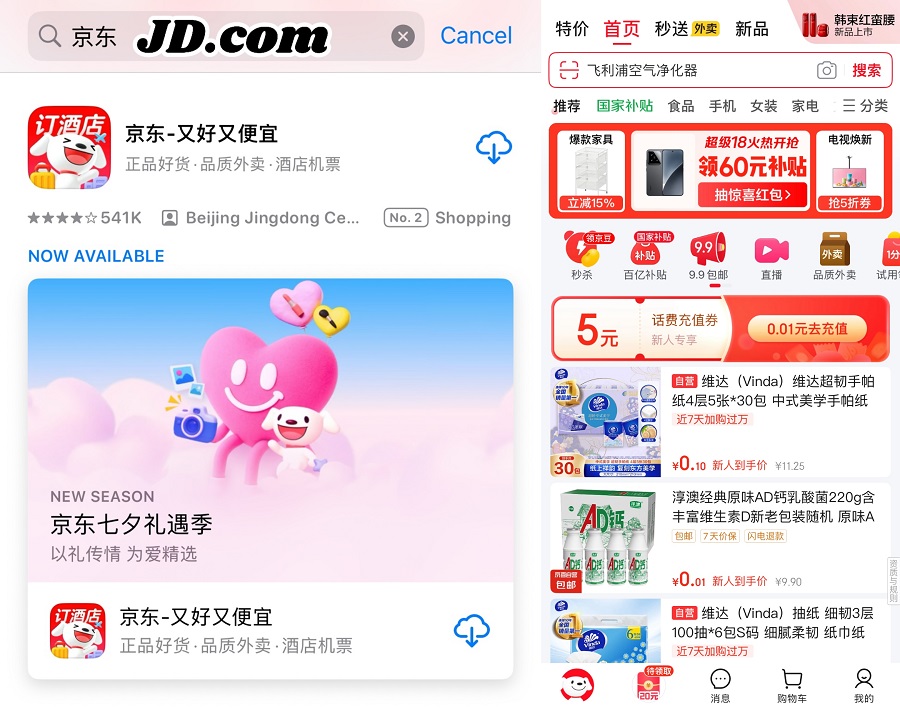
Open your phone's app store, search for JD.com (Chinese: 京东), and download it. Once the installation is complete, open the app to reach the homepage.
Step 2: Enter your shipping address
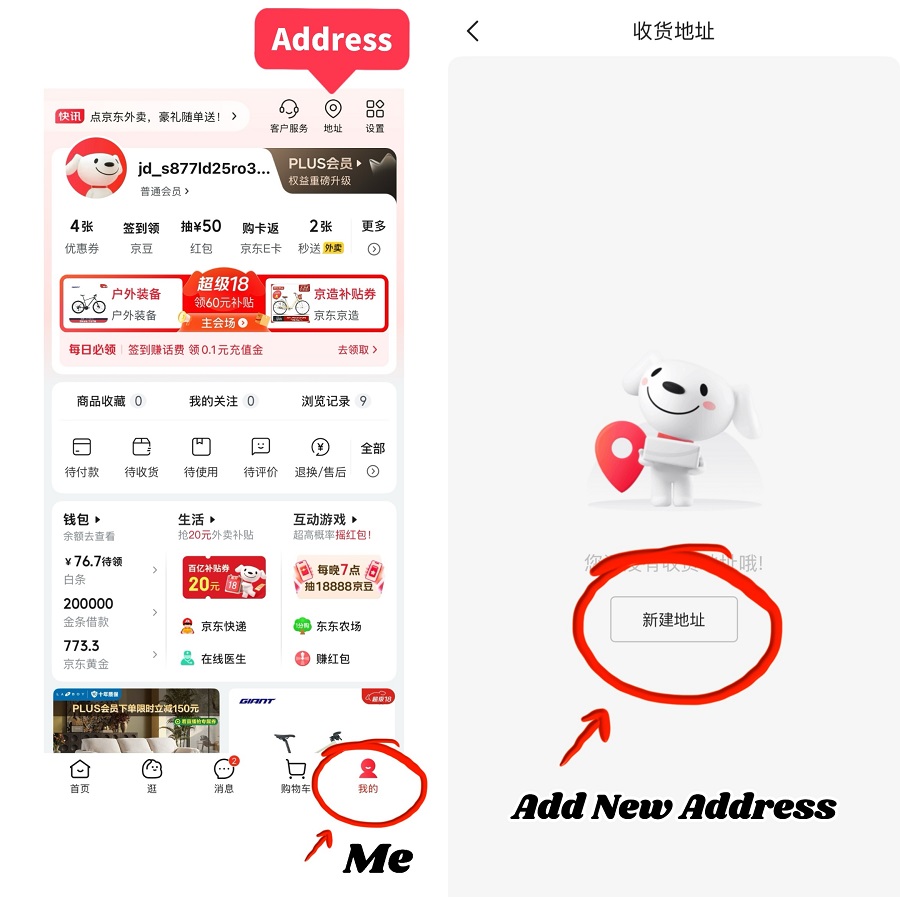
On the bottom navigation bar, tap "Me" (Chinese: 我的). Then, tap the address icon in the top-right corner and choose "Add New Address".
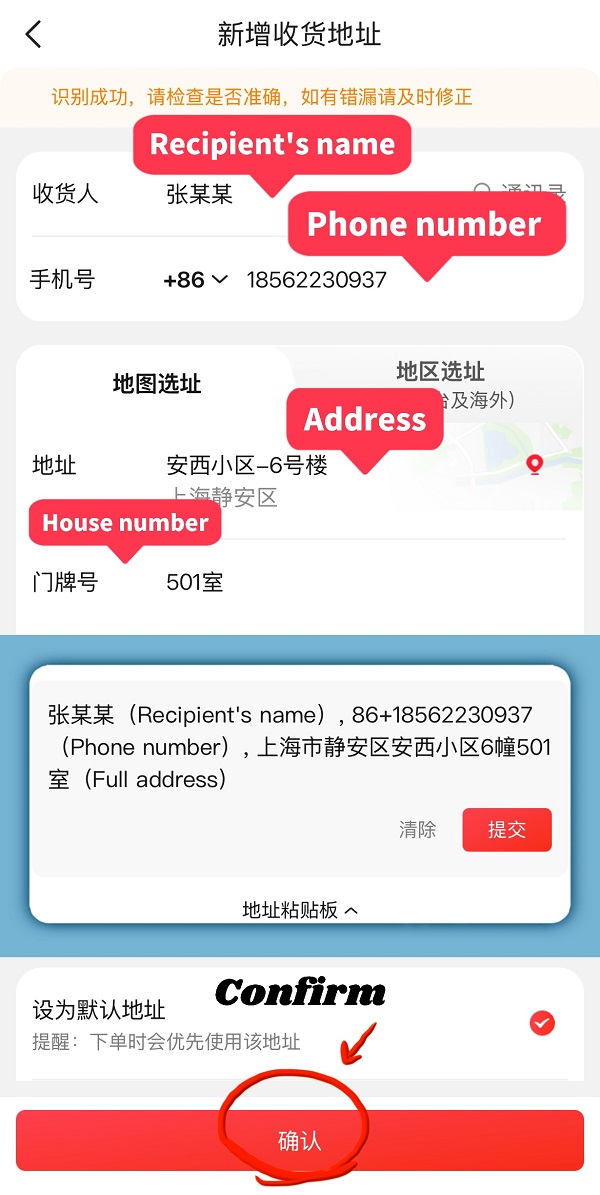
JD.com also offers an "address clipboard" feature called: 地址粘贴板. Copy the recipient's name, phone number, and full address, and paste them into the app. JD.com will recognize the details automatically. Review each field and tap "Confirm" (Chinese: 确认).
Step 3: Search for products
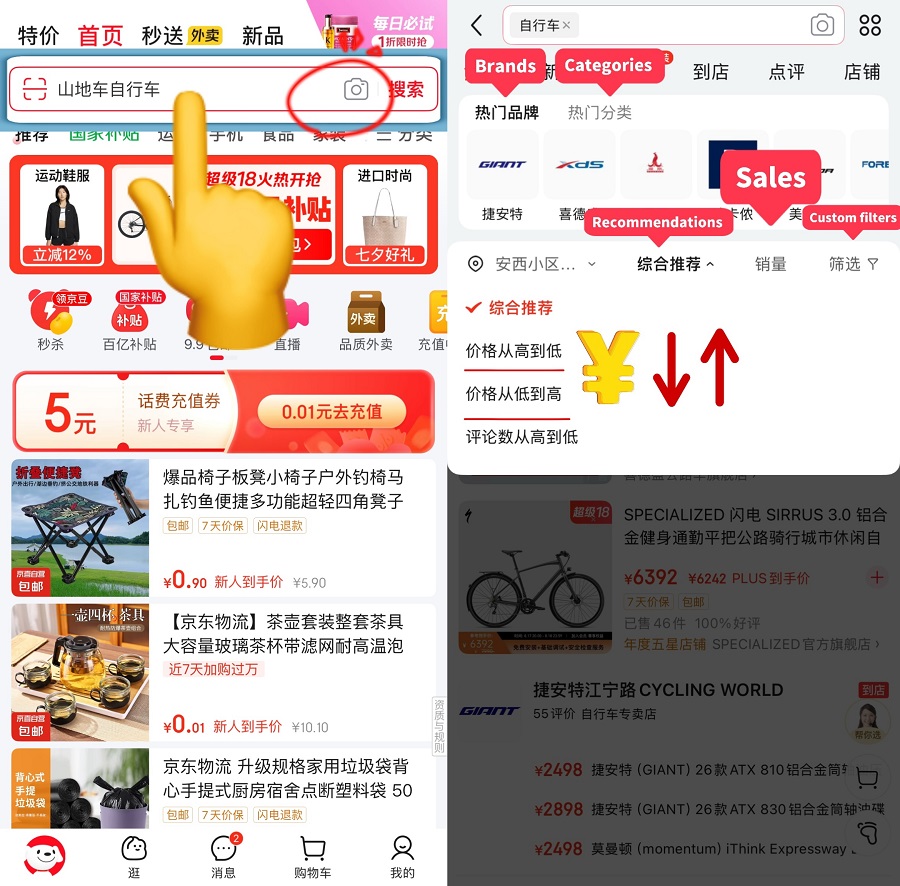
Enter keywords in Chinese in the search bar. For example, type "自行车" for "bicycle". You can also tap the camera icon to take a picture or upload one to find similar items. Search results can be filtered by brand, category, such as mountain, city, folding, or electric bikes, as well as price, sales, or custom filters.
Step 4: View and select a product
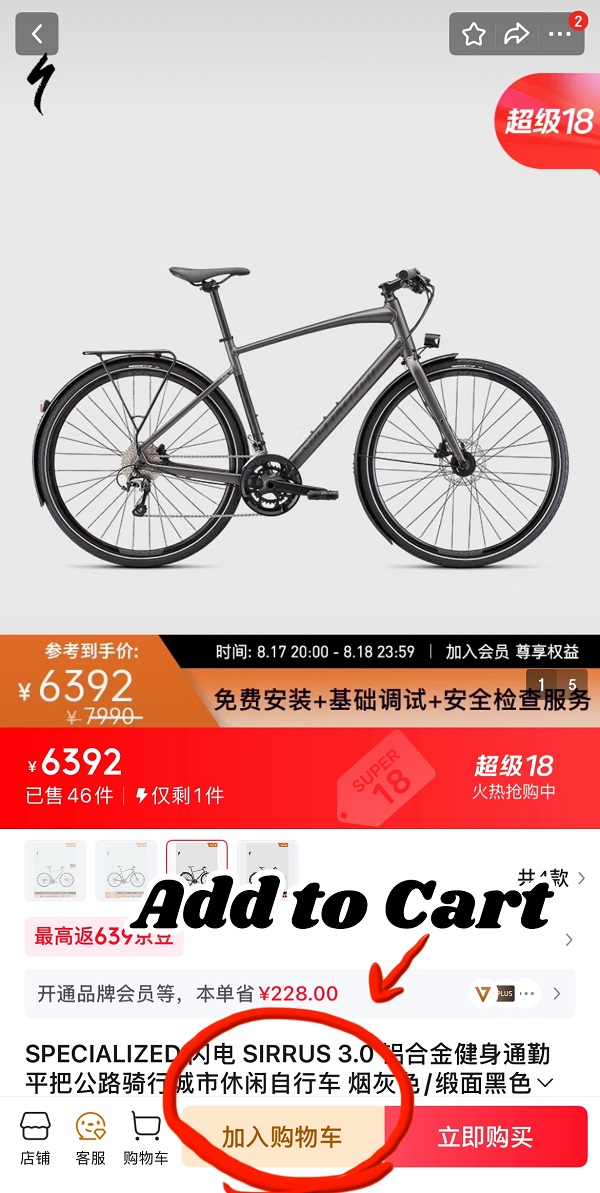
Tap a product to see its details, including specifications, reviews, and shipping options. If needed, take a screenshot and use a translation app for the description. Select your preferred variation, such as size, color, or model, and tap "Add to Cart" (Chinese: 加入购物车).
Step 5: Proceed to checkout
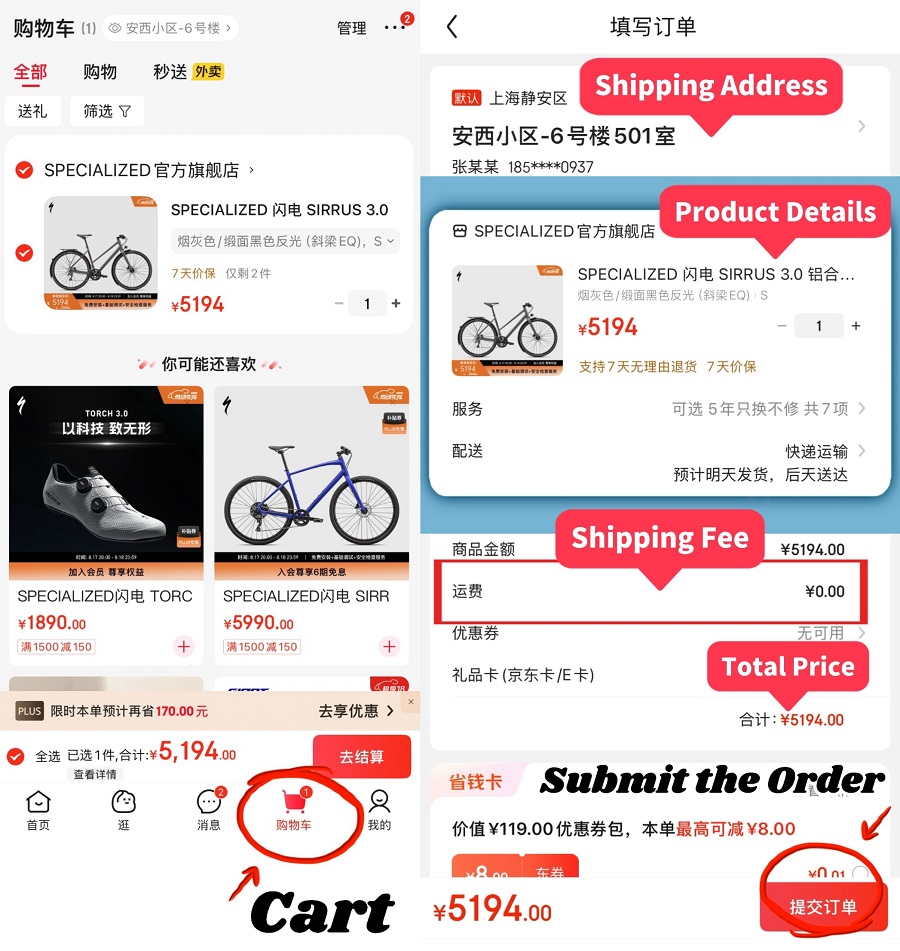
Open your shopping cart, select the item(s) you want, and tap "Checkout" (Chinese: 去结算). Verify your shipping address, product details, quantity, shipping fee, and total price. If everything is correct, tap "Submit the Order" (Chinese: 提交订单).
Step 6: Choose a payment method
JD.com supports several payment options, such as bank card, WeChat Pay, UnionPay, Apple Pay, or "pay on behalf" by a friend. Select your preferred method and confirm payment.
Step 7: Track your order
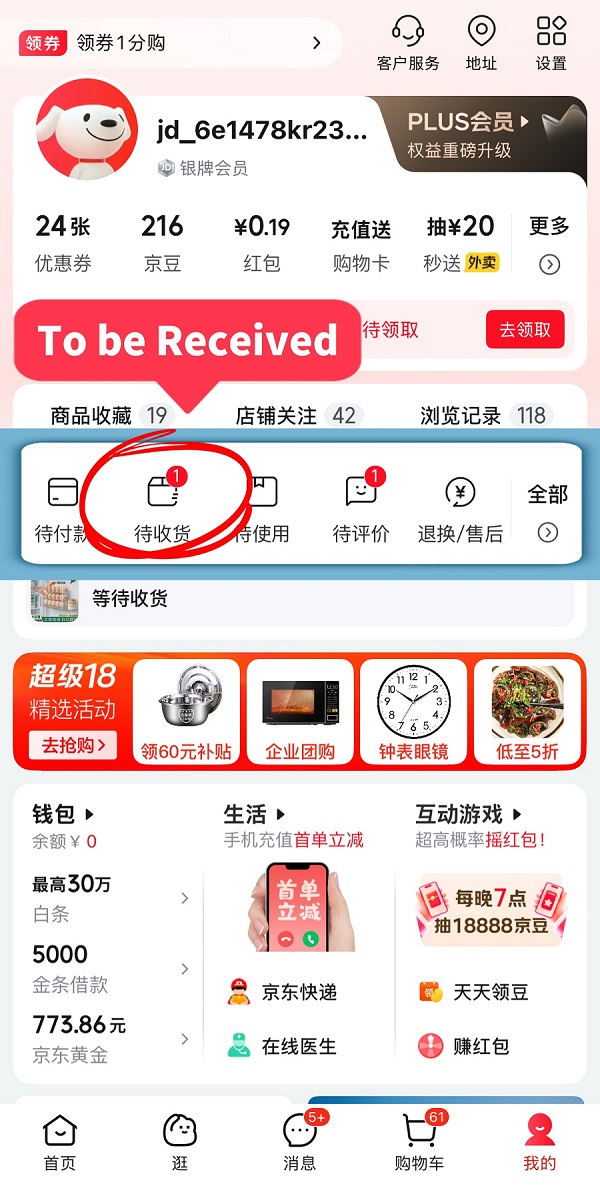
Once your order has shipped, go to "Me" → "To be Received" (Chinese: 待收货) to view tracking details. JD.com is known for fast, reliable delivery. All you have to do now is wait for your package to arrive!