How to inquire mortgage rights step by step
Shanghai has launched a mortgage rights inquiry service on its "Government Online-Offline Shanghai" official e-governance platform.
It allows mortgagees, whether individuals or businesses, to easily check information about mortgaged property in just six steps.
Here's how you can access the service:
1. Navigate to the user login page of the "Government Online-Offline Shanghai" platform at:
https://zwdtuser.sh.gov.cn/uc/login/login.jsp?kind=1
2. Individuals choose "Scan to login" or "Account login". Enterprises choose "Scan to log in by market entity" or "Legal person Ukey login". Scan a QR code or enter relevant information for the login.
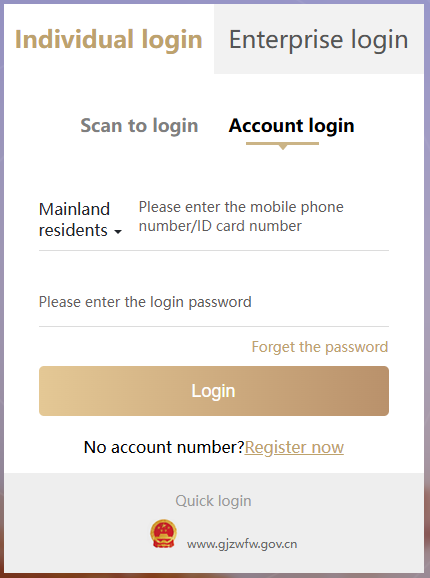
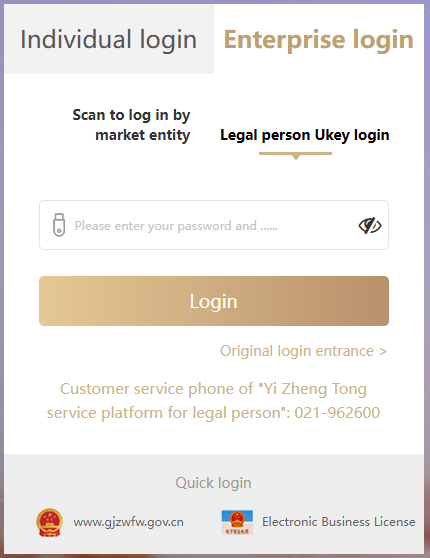
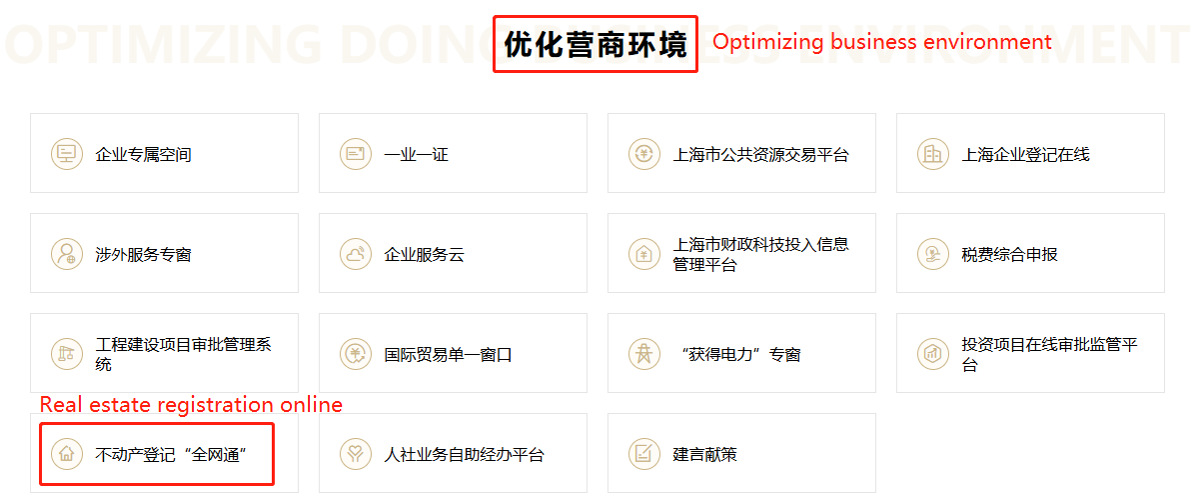
3. Click "Real estate registration online" under "Optimizing business environment".
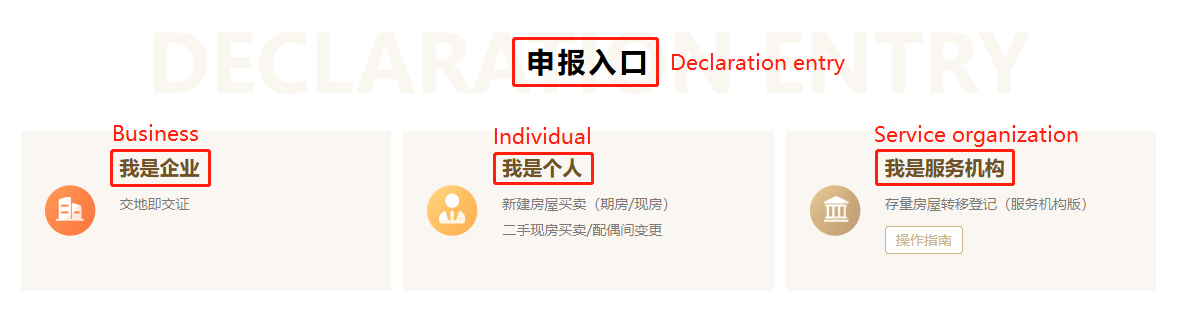
4. Click "Business," "Individual" or "Service organization" under "Declaration entry".
 5. Click "Mortgage rights inquiry".
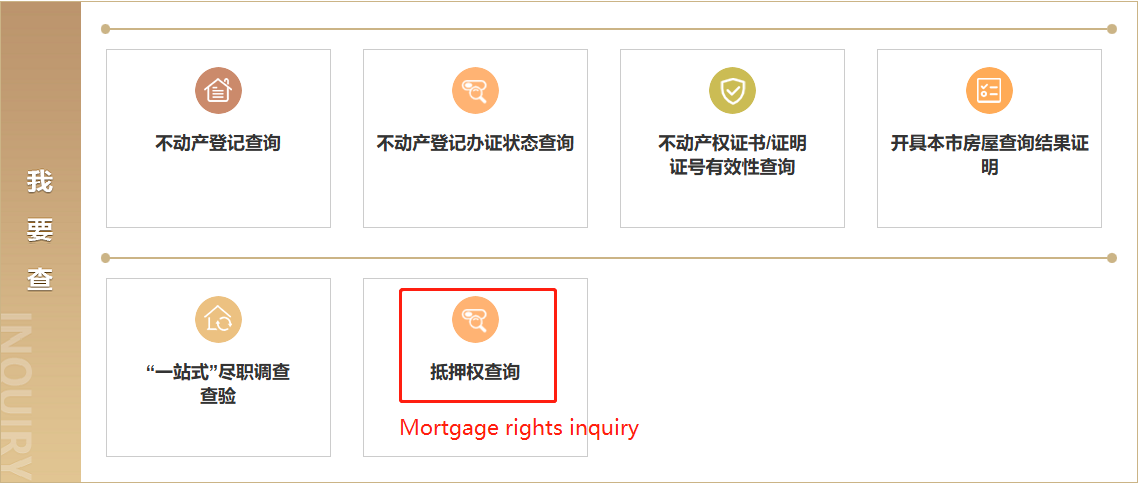
6. Enter "Receipt number" or "Mortgage certificate number" to instantly access information about the mortgaged property.
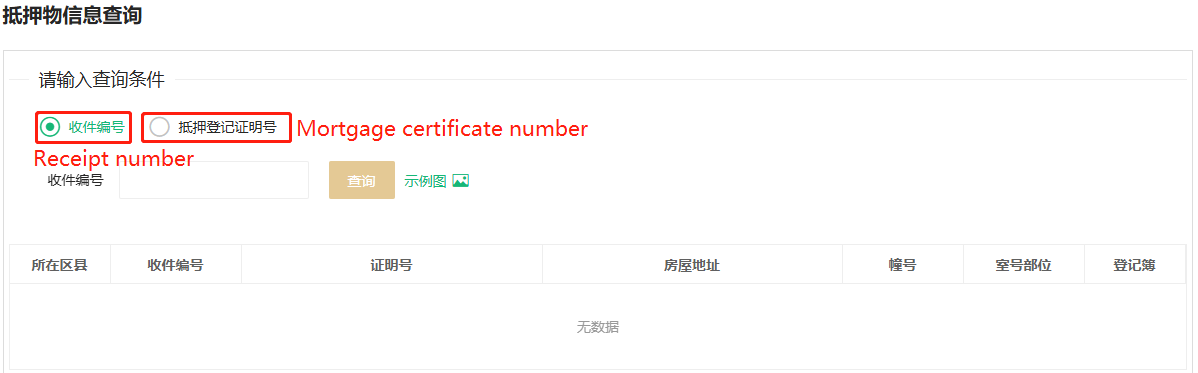
Mortgagees can not only check real-time information of mortgaged property, but also view the e-version real estate register to understand details that may impact the value of the property.
The generated PDF files are stamped with an electronic query seal, possessing the same legal validity as physical certificates — eliminating the need to obtain written proof through traditional means.
Source: Shanghai Municipal Bureau of Planning and Natural Resources